Full version with all templates and detailed checks. Back to the main article
Website maintenance and support: tasks and costs
A new project photo needs adding to the website, the form shows an error, and updates are waiting in the background. The same provider may handle these tasks. But they involve different amounts of work and are not automatically all included in a support quote.
Lumios & Co. lists ‘Wartung Pur’ at €34 excluding VAT per month. It includes update checks and backups at least weekly. Its ‘Wartung & Betreuung’ package costs €79 excluding VAT per month and also includes one hour a month for small text and image changes to existing areas. Both packages can be cancelled monthly. [3]
These prices excluding VAT were recorded on 12 October 2026 and read again on 16 October 2026. They are examples from one provider, not an average market price or a quote from BrandHoop. The pricing examples also show the scope and exclusions of other packages.
A small trades business might split the work: you change opening hours yourself and hand over technical maintenance. The models and published prices below show differences in scope. An entirely fictional annual budget then explains the calculation.
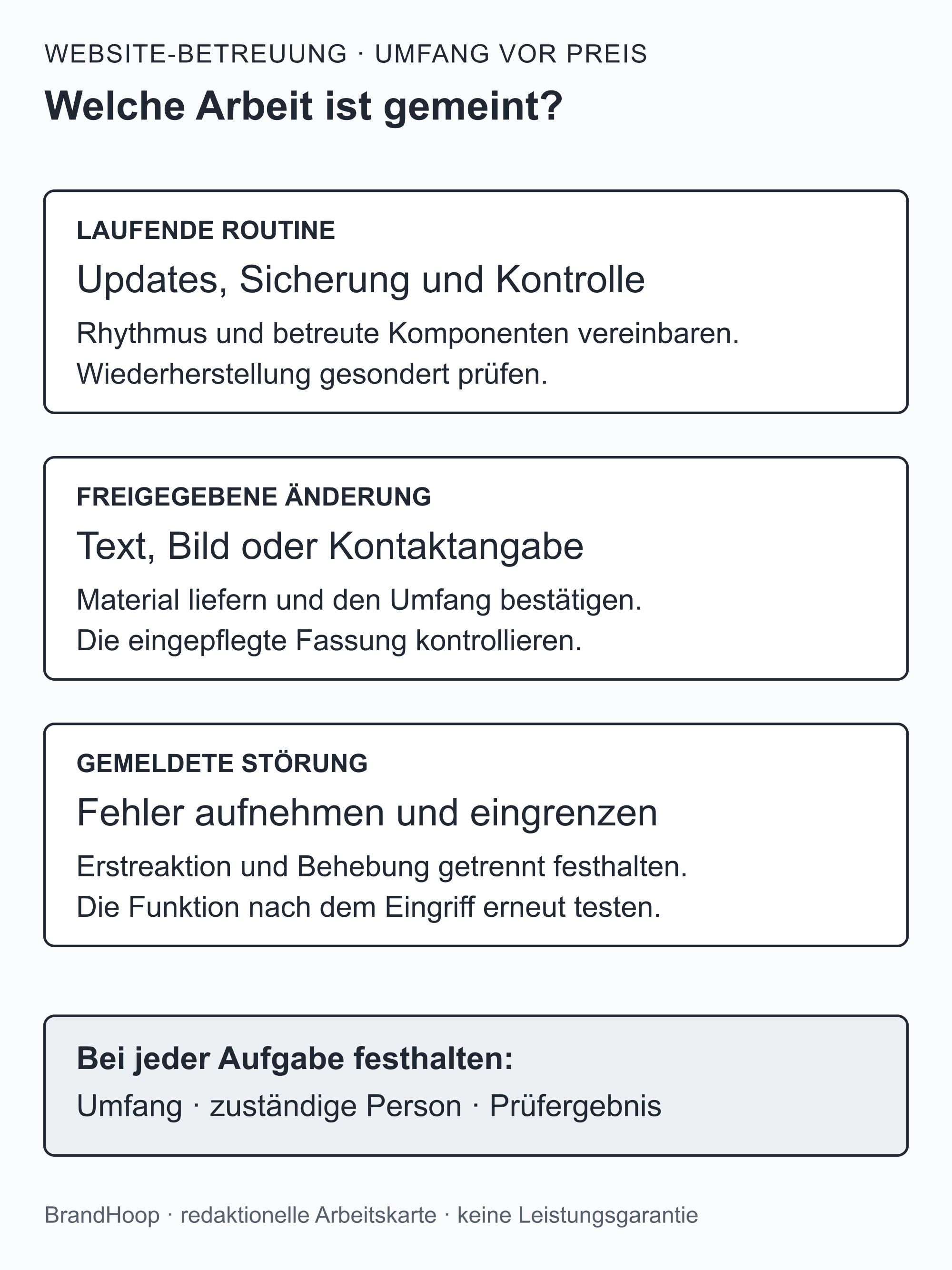
What does website support cover?
Technical maintenance may include updates to the system and its extensions, along with backups and agreed function or security checks. Updates bring software up to date; backups are saved copies. For WordPress, the official documentation recommends making a backup before an update. [1]
Content maintenance addresses a different need. It covers tasks such as changing a phone number, adding a new photo to an existing project reference or correcting factual information in service copy. The service description should state whether the provider adds finished content or also creates it.
Alongside these tasks are hosting, the domain and any software licences. These items may be included in the package or charged separately. A new page, additional features or targeted search engine optimisation also need a defined scope. The word ‘support’ alone tells you little about this.
The initial website build and a full relaunch, meaning a fundamental reworking of the website, are separate projects. Major work like this may also become necessary later. The quote should distinguish it from ongoing support. The specific agreement is what counts. [b]
Do it yourself or book support?
You can look after your website yourself, get help with individual tasks or agree an ongoing package. This also involves deciding which work your business can handle and who needs access to do it.
The table compares the models using the same questions. Backups also involve the term restore. This means recovering the website from a backup. [2]
| Criterion | Manage it yourself | Occasional help | Support package |
|---|---|---|---|
| Ongoing maintenance | You organise updates and the checks afterwards. | You book a specific maintenance appointment. | You agree with the provider what they maintain and how often. |
| Backups and restores | You set up and check both backups and recovery. | You specify which backup is available and commission the required check. | The quote sets out backups, retention and the restore service. |
| Security checks | You define the checks needed and how to handle findings. | You commission a clearly defined check. | The scope sets out the agreed checks and how to handle anything unusual. |
| Content changes | You supply and add approved content yourself. | The provider bills individual changes according to the agreed scope. | You agree with the provider how much time is included and its limits. |
| SEO and new content | Plan your own goals and tasks separately. | Commission as a specific additional task. | Only included if agreed in the scope of services. |
| Faults | You find out who can step in. | You clarify with the provider when they can help and what it costs. | You agree with the provider how to report faults, service hours and included work. |
| Your own time | You remain responsible for both business and technical tasks. | Preparation and coordination remain with your business. | You still need to supply information and approvals. |
| Cost basis | Allow for licences, hosting and your own working time. | Record the price per task and possible additional costs. | Record ongoing fees, one-off items and extra work separately. |
| Access and changing providers | You keep accounts and documentation up to date yourself. | Grant the specific access needed and revoke it later. | Clarify handover, data and licence implications in advance. |
Managing the website yourself suits you if you have the necessary knowledge and time. Occasional help may be enough for a single task. An ongoing package is an option when recurring work would otherwise be left undone. The provider still needs your business to supply information and approvals for new content. [b]
Price examples and included services
For the published prices below, 12.10.2026 was the date they were recorded and 16.10.2026 the date they were read again. They show selected offers from individual providers. They do not establish an average market price or constitute a provider recommendation. Prices and terms may change.
Net means excluding VAT; gross means including VAT. The table also uses VAT and ‘excl.’, meaning excluded. The specific quote is what matters for your order.
| Provider and package | Published price | Selected services and terms |
|---|---|---|
| Lumios & Co. – Wartung Pur | €34 per month, excl. VAT | Update checks and backups at least weekly; can be cancelled monthly. [3] |
| Lumios & Co. – Wartung & Betreuung | €79 per month, excl. VAT | Also includes one hour a month for small text and image changes to existing areas; can be cancelled monthly. [3] |
| Livingcreation – Starter | €39 per month, net plus 20% VAT | Maximum of 15 active plugins; quarterly updates, monthly backups; monthly price based on annual payment in advance. [4] |
| Livingcreation – Business | €59 per month, net plus 20% VAT | Maximum of 25 active plugins; monthly updates; monthly price based on annual payment in advance. [4] |
At Lumios & Co., the additional hour for changes excludes new pages, features and larger design changes. The 48 hours apply on working days to qualifying small changes once all materials are available. They are not a general emergency response promise. Hosting as the main service, legal reviews and 24/7 emergency support are excluded. This is set out in the Lumios & Co. service description. [3]
Livingcreation states a minimum term of twelve months with automatic renewal. Theme updates other than Avada and WooCommerce updates are excluded. The system check and setup for a website built by another provider cost a one-off €120 net plus 20% VAT; the first system update is billed additionally for the work involved. Fault repairs and reprogramming are also outside the package. The applicable details are in Livingcreation's prices and terms. [4]
These examples show the difference in scope. An update check first establishes whether an update is needed. Installing updates is a separate task. And a package with time for content changes provides a different service from technical maintenance alone. These differences belong alongside the monthly figure in a price comparison. [b]
Updates, backups and function tests
WordPress is a content management system, or CMS. It lets you manage your website's content. Plugins add features, while the theme determines the design. [5] With WordPress, someone needs responsibility for updates to the core system, plugins and theme. The maintenance scope should state which components are covered and which are excluded. Other systems have their own requirements.
Before an update, the official WordPress documentation recommends a backup so that recovery is possible if problems occur. [1] Support may also include checks afterwards, as agreed. For a trades business, the journey from the service page to making contact is a useful test: are the service and contact pages usable on mobile, do phone links work, and can the enquiry form be submitted? A test using fictional details should include confirmation that the enquiry reached the agreed recipient. [b]
Fully restoring a typical WordPress website requires both files and a database. The database holds content and settings, among other things; files include images, plugins and themes. Both parts belong in the backup. The WordPress backup guide explains this distinction. [2]
A backup alone does not tell you who will restore it or whether recovery has been tested. Backup frequency and retention need an owner, as does the restore process. Monitoring may check whether the website is available, for example. Who receives an outage alert and which repairs are included or cost extra also belong in the agreed scope. [b]
Regular maintenance does not rule out outages or attacks. The WordPress security handbook also describes security as reducing risks. [6] It cannot promise a better position on Google either; Google expressly warns against guaranteed top rankings. [7]
What counts as a ‘small change’?
Replacing a photo is a different task from creating a new service page with copy and design. Even an included hour for changes therefore needs a description of the tasks and the coordination required.
A bathroom renovation business could, for example, have an existing project reference updated with approved project photos. A new contact person or a different phone number would be other possible changes. So would a factual correction to the service scope or up-to-date information on booking appointments. [a]
Your business supplies accurate information and checks image rights. The provider makes the approved changes within the agreed scope. If new copy, photos or image editing are also required, give that work its own place in the agreement.
An allowance of hours is the working time included. Agree whether follow-up questions and corrections count towards it, and whether unused time expires or can be carried over. Extra work needs clear approval before additional costs arise. The template has separate fields for this. [b]
Changed contact details or service information should be added to the website promptly, regardless of the next publishing date. A blog or new landing pages, meaning pages for a particular offer or promotion, are separate tasks. Ongoing SEO support, which works on visibility in search engines, is also only included in the package by agreement. [b]
Hosting, domains and licences
Hosting provides the technical environment in which a website is stored and served. With shared hosting, several websites share server resources. With managed hosting, the provider takes on server administration tasks. Which tasks a particular quote covers still needs to be clarified. [8] A package name does not replace details about backups or technical help.
The domain is your website's readable address. An ending such as .at is called a top-level domain. [9] You can record the provider, costs and term separately. Also agree who manages the contract and renewal and who can access the customer account.
Email and the SSL certificate may be included in another package. The familiar name ‘SSL certificate’ now usually refers to TLS for encrypted connections. [10] Responsibility and costs also belong in the overview. Hosting alone does not automatically cover maintaining website text and images.
Licences are rights to use software, such as paid plugins or themes. For the comparison, record the licence holder and renewal costs, as well as what happens when the contract ends. At Livingcreation, for example, optional use of its premium plugin licences ends with the maintenance contract. [4] It should therefore be clear how your website can continue running if an agency licence is no longer available.
If hosting already includes backups, the support service should explain what additional backup or recovery service you receive. This helps you identify overlap. [b]
What affects the price?
The website's condition matters from the point of takeover. The published offers above treat or bill necessary preparatory work on existing websites separately. [3] [4] Agree whether existing problems need fixing first and who will do so.
The description should also include the plugins, interfaces and forms in use, along with custom modifications. Adding finished copy is a different brief from creating new content. The scope of checks and support includes check frequency, availability and fault resolution. Billing distinguishes recurring items, one-off items and work charged according to the effort involved. [b]
An online shop needs services for its shop features. Livingcreation, for example, excludes WooCommerce updates. [4] If your trades business has no shop, this extra scope need not be part of the comparison.
For legal notices and privacy text, adding the content and having it professionally reviewed are different services. The term ‘website maintenance’ does not establish who handles them. The enquiry should name the scope required and the person responsible. [b]
Fictional annual budget
The following calculation is entirely fictional. The amounts are not market prices or a quote from BrandHoop. It shows the calculation for an example quote for a bathroom renovation business.
Suppose the example quote includes:
technical maintenance: €75 excluding VAT per month;
hosting and the domain together: €180 excluding VAT per year;
licences: €120 excluding VAT per year;
support setup: a one-off €100 excluding VAT;
additional content changes: two hours in the first year at €90 excluding VAT each.
The first-year budget is then:
12 × €75 + €180 + €120 + €100 + 2 × €90 = €1,480 excluding VAT.
With a VAT rate of 20% assumed solely for this example calculation, this gives €296 VAT and €1,776 including VAT. For a real quote, use the tax treatment it states.
If only maintenance, hosting, the domain and licences continue in the following year at the same example amounts, the cost is €1,200 excluding VAT per year. This assumes no setup fee or additional changes. With the same assumed tax rate, that would be €1,440 including VAT.
Converting the first year to €148 including VAT per month shows the average calculated cost of this example. It is not an agreed monthly fee: annual invoices or advance payments may be due at other times.
Who handles each task?
Even with ongoing support, your business supplies factually correct information and approvals. The provider may handle the technical work. Naming one person on each side makes coordination easier.
The table is a working template you can fill in to assign possible responsibilities. Your agreement determines what actually applies. [b]
| Task | Owner or named person in the business | Provider, as agreed |
|---|---|---|
| Taking over the website | Provide existing contracts, system information and access | Assess the condition; list outstanding issues and takeover costs |
| Updates | Identify important features and business processes | Update the agreed components and check them afterwards |
| Backups | Help define the backup scope needed | Manage backups, retention and recovery according to the agreed process |
| enquiry form | Specify the recipient; confirm receipt of a test enquiry | Test the agreed features and report faults found |
| Content changes | Supply factually correct copy, approved images and approval | Make changes within the agreed allowance and provide feedback |
| Hosting, domain, licences | Clarify responsibility for contracts and payments; retain access | Handle the agreed technical administration and track deadlines |
| Faults and additional work | Report the problem; approve additional costs | First investigate the cause, reply to you and fix the fault within the promised scope |
| End of contract | Name the person taking over and check the handover | Hand over the agreed documentation, data and access; remove the provider's own permissions in an orderly way |
Clear feedback makes the work easier to follow. ‘Change added and approved’ tells you more than ‘Content management completed’. A maintenance report should list completed work and outstanding issues. [b]
Template for your quote request
Use the following fields to describe the support you need. You can copy the template and replace [enter details] with your information. The provider fills in unanswered points. The template helps you agree the services; it is not a complete legal contract. [b]
Website and system: Address [enter details]; CMS [enter details]; supported components and version list [enter details].
People responsible: Approval within the business [enter details]; contact at the provider [enter details]; cover [enter details].
Technical routine: Update checks [enter details]; installation [enter details]; handling urgent security updates [enter details].
Checks after changes: Pages and features to check [enter details]; evidence and feedback [enter details].
Backups: Files and database [enter details]; frequency [enter details]; retention [enter details]; storage location [enter details]; recovery and how it is checked [enter details].
Content maintenance: Included tasks [enter details]; allowance [enter details] hours; carry-over or expiry [enter details]; how coordination and corrections count towards the allowance [enter details].
Additional work: Price [enter details]; excluding/including VAT and VAT details [enter details]; billing unit [enter details]; written approval before additional costs by [enter details].
Hosting, domain and licences: For each item, contracting party [enter details]; owner or licence holder [enter details]; costs [enter details]; included or separate [enter details].
Faults: Reporting method [enter details]; service hours [enter details]; initial response deadline [enter details]; process through to resolution [enter details]; included and additional work [enter details].
Exclusions: For example, new pages, a relaunch, custom programming, shop components, copywriting and legal review: specify [enter details].
Price and term: Monthly [enter details]; annually [enter details]; one-off [enter details]; tax details [enter details]; payment due date [enter details]; minimum term [enter details]; renewal and cancellation [enter details].
Documentation and contract end: Reporting frequency [enter details]; storage location [enter details]; handover deadline [enter details]; data, access and licence implications when the contract ends [enter details].
With faults, distinguishing between an initial response and resolution is particularly useful. The initial response is the reply to your report. Resolution means repairing the fault. Both need an agreement, including what happens outside the agreed service hours. [b]
How to compare quotes
A comparison starts with the same description for every provider: the system, important features and planned content changes. This lets you match tasks even when packages have different names.
Show first-year costs separately from later years. Use a consistent basis, either excluding or including VAT, and show the tax details. Include payment due dates and advance payments: Livingcreation's monthly price, for example, requires annual payment. [4]
Alongside the amounts, record the tasks and hours included, as well as the frequency of updates, backups and checks. For faults, look at service hours, the initial response and the process through to resolution, including possible additional costs. The comparison should also cover the term, cancellation and handover when the contract ends. [b]
Resolve unclear fields with specific questions. For example: ‘Does adding finished project reference images count towards the included time?’, ‘Who checks that a form enquiry has arrived?’ or ‘What does recovery after an update problem cost?’
If text changes are rare, technical maintenance with individually commissioned changes may be enough. For more frequent requests, compare a package with clearly defined working time. Additional costs and responsibilities should remain visible. [b]
Prices checked again on: 16 October 2026. Before commissioning work, check the prices and terms in force for the specific quote at that time.
Your next step
Your website and its recurring tasks set the scope for a quote. Use the information you have and any open questions to prepare the template. The provider can then explain what they will take on and how they will charge for it.
You can send the prepared enquiry to a provider of your choice. If you would like to discuss support with BrandHoop, you can use the same information. Our services include website support, website creation and SEO. The external price examples in this article are not BrandHoop rates.
Further guides
- Websites for tradespeople: when a website needs building or its page structure needs planning.
- Website relaunch and SEO: when a major change is needed rather than ongoing maintenance.
- Enquiry forms for trades businesses: for the complete form and delivery test.
- Project references on your website: for preparing approved project copy and photos.
- SEO for tradespeople: to plan your visibility in unpaid search separately.
Sources
Sources carried over from the version dated 16 October 2026; editorially revised on 17 October 2026. Numbers link to sources; letters explain editorial examples or recommendations. Each note states what the source supports.
[b] Practical recommendations. The suggested processes and decision aids are editorial applications of the principles cited. Their specific effect on enquiries or orders has not been measured here.
[a] Editorial examples. Content labelled as an example or fictional illustrates possible situations. It does not describe real client cases or demonstrate a measured effect.
Sources and context (10 sources)
- Updating WordPress — WordPress.org
Confirms the recommendation to make a backup before updating WordPress and the possibility of restoring it if problems occur. It does not establish that this website has been successfully restored or define a standard scope of support. Checked: 2026-10-16.
- Backups – Advanced Administration Handbook — WordPress.org
Confirms that files and the database are separate parts, both needed for a typical complete WordPress backup. A restore is described as recovery from a backup. The backup and form checks in this article are our own suggested procedures, not documented tests of a real website. Checked: 2026-10-16.
- Website-Wartung für WordPress-Websites in Wien — Lumios & Co.
Provider's own information on the selected €34/€79 monthly packages excluding VAT, update checks, backups, the hour for changes and terms. Not a market average, a recommendation or a check of actual delivery. The web tool labels the underlying crawl as being from the previous day; no binding quote was obtained. Checked: 2026-10-16.
- WordPress-Update-Service und Wartungsverträge: Wartungspakete und Preise — Livingcreation
Provider's own information on monthly prices of €39/€59 excluding VAT with annual payment in advance, plugin limits, update frequency, the €120 setup fee and exclusions. Supports only this offer and its published terms. The web tool reports a crawl from the previous day; neither the contract nor service delivery was checked. Checked: 2026-10-16.
- Features – WordPress.org — WordPress.org
Supports the terms CMS, content management, theme and plugin. The product description does not establish any specific maintenance, availability or search ranking. Checked: 2026-10-16.
- Hardening WordPress — WordPress.org
Describes security as risk reduction and distinguishes hosting responsibilities from application responsibilities. The limit on absolute promises about outages and security is a cautious assessment, not a measured probability of an outage. Checked: 2026-10-16.
- Do You Need an SEO? Tips for Hiring an SEO — Google Search Central
Supports only the warning against guaranteed top rankings. No effect of a particular maintenance service or prospect of success for BrandHoop is inferred from it. Checked: 2026-10-16.
- What is Web Hosting? — Amazon Web Services
Used only to explain the technical terms hosting, shared server resources and managed server maintenance. No recommendation of AWS, prices or general claims about the services in managed hosting packages are inferred. The tool reports a crawl from the previous week. Checked: 2026-10-16.
- What is a Domain Name? — MDN Web Docs
Supports the explanation of a domain as a readable address and its final part as the top-level domain. Does not establish .at prices, transfer of ownership or specific registration terms. Checked: 2026-10-16.
- Transport Layer Security (TLS) — MDN Web Docs
Explains TLS as the successor to SSL for protected network connections and the role of a valid certificate. Does not establish that a website is fault-free or secure overall, or that a certificate is included in a hosting package. Checked: 2026-10-16.